Holi, the festival of colors, brings joy and vibrance to our lives every year. In 2026, AI photo editing has revolutionized how we capture and celebrate this beautiful festival. Google Gemini and other AI tools now allow you to create stunning Holi-themed images with just a text prompt. Whether you want to generate festive portraits, colorful celebration scenes, or creative artistic interpretations, AI-powered photo editing makes it possible to bring your vision to life. These prompts help you create professional-quality images featuring vibrant color splashes, traditional Holi elements, and joyful celebrations. Perfect for social media posts, greetings, or personal collections, these AI-generated images capture the essence of Holi in breathtaking detail.
Understanding Holi AI Photo Editing
AI photo editing for Holi involves using text prompts to generate or enhance images that capture the festival’s colorful spirit. Google Gemini, along with other AI platforms, interprets detailed descriptions to create realistic or artistic representations of Holi celebrations. The key to successful AI-generated Holi images lies in crafting detailed prompts that specify elements like colors, lighting, poses, expressions, and atmospheric details. These tools can create everything from realistic portraits covered in gulal to fantasy-inspired artistic interpretations of the festival.
Top 5 Holi AI Photo Editing Prompts
Prompt 1: Joyful Holi Portrait
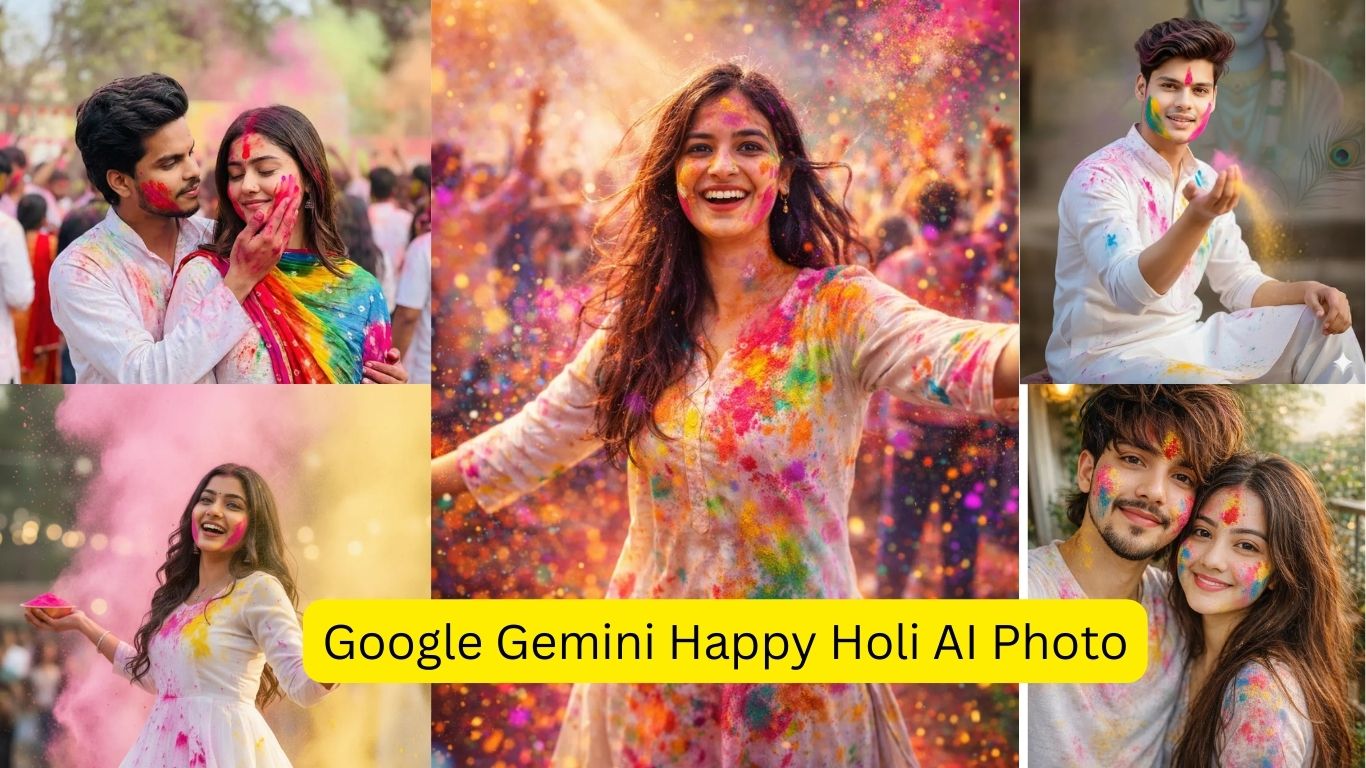
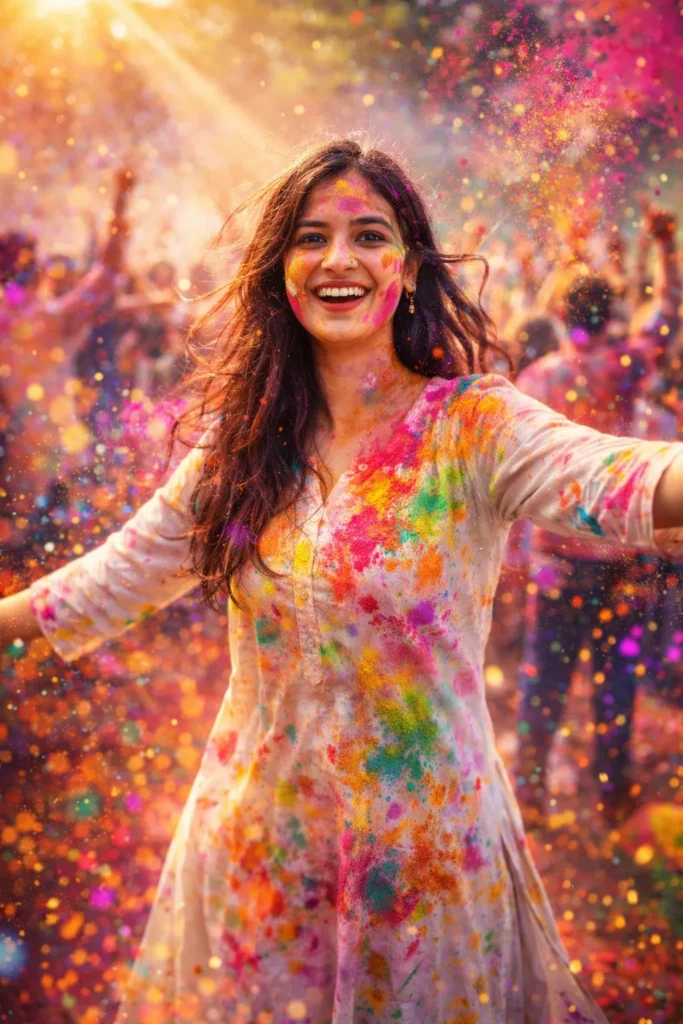
beautiful young Indian girl playing Holi with joy and energy, colorful gulal flying in the air, bright smile on her face, wearing traditional white kurti with colorful stains, hair slightly messy, vibrant atmosphere, crowd celebrating in background, sunlight rays, soft bokeh effect, ultra HD, realistic details, cinematic lighting, high contrast, 8k resolution, professional photography, festive mood, sharp focus, modern AI art style, 2026 trending look
Prompt 2: Traditional Holi Celebration
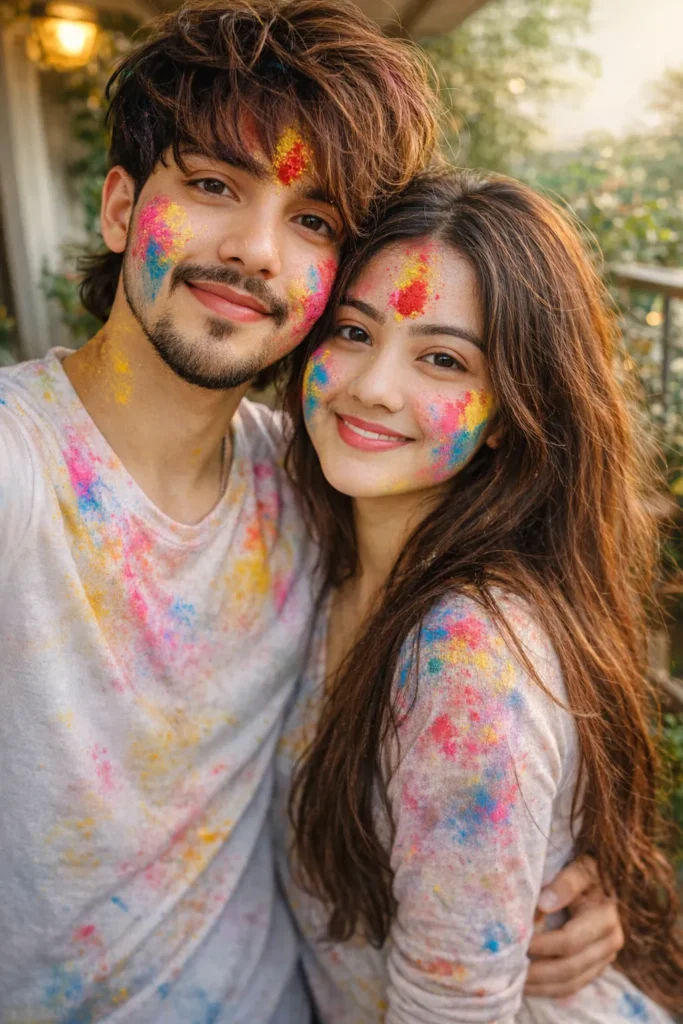
Ultra-realistic close-up selfie of an Indian couple celebrating Holi, same face and identity exactly as reference, no facial change. Both smiling warmly, faces covered with yellow, blue, pink and red gulal and tilak. Man with light stubble, tousled hair, white T-shirt. Woman with long wavy hair, natural glow. Soft daylight, balcony with green plants, candid festive mood, shallow depth, realistic skin texture.”d.
Prompt 3: Colorful Action Shot
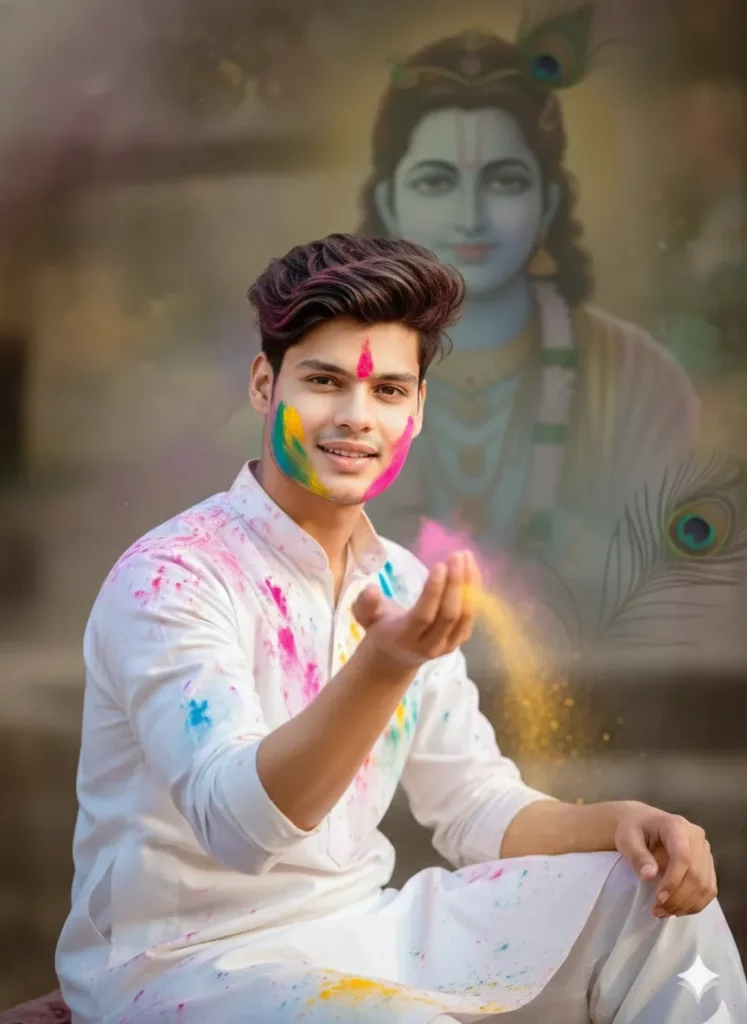
Ultra-realistic devotional portrait, 4:5 vertical. Use exact reference face, no change. Young Indian man in white kurta-pajama, softly covered in Holi colors, gently tossing gulal with a peaceful smile. Subtle Lord Krishna presence blurred in background, peacock feather hint. Warm daylight, festive yet devotional mood, shallow depth, DSLR look, natural skin texture.
Prompt 4: Artistic Holi Fantasy
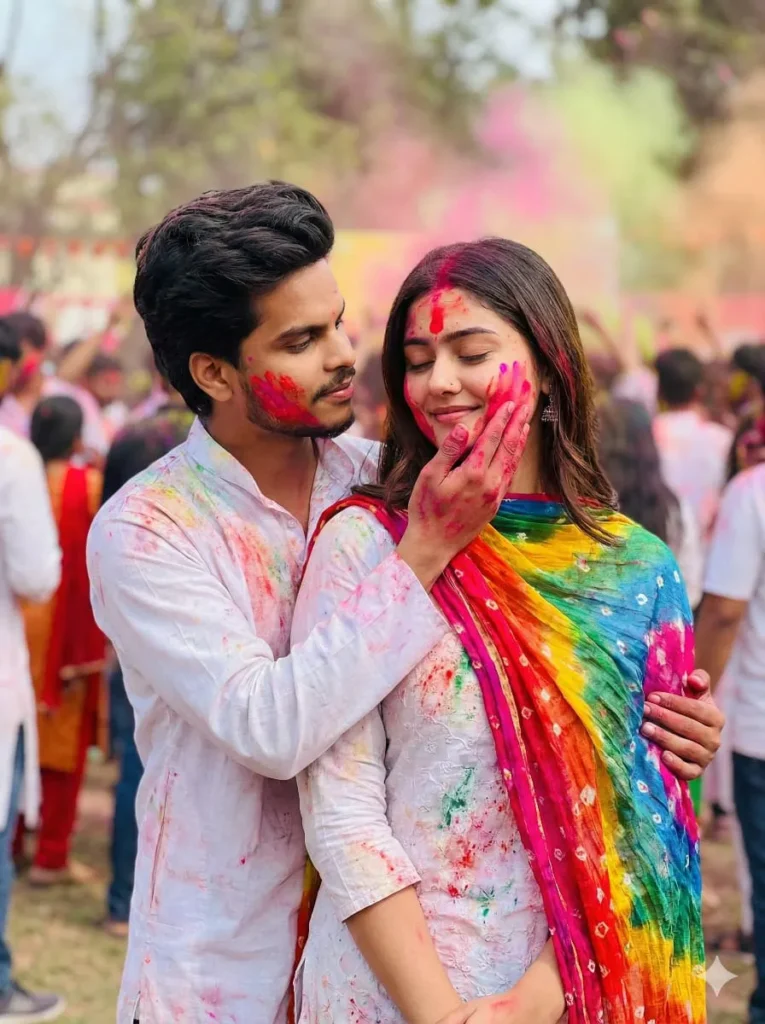
Holi Couples prompt celebrating Holi, the festival of colors. The man is embracing the woman from behind, with his hand gently touching her face, which is smeared with pink and red Holi powder.Both are dressed in white outfits that are also stained with colorful powders. The woman has a colorful dupatta draped over her shoulder, adding to the festive look. Her eyes are closed, and she has a gentle smile, while the man is looking front at her with affection.
Prompt 5: Group Celebration Scene
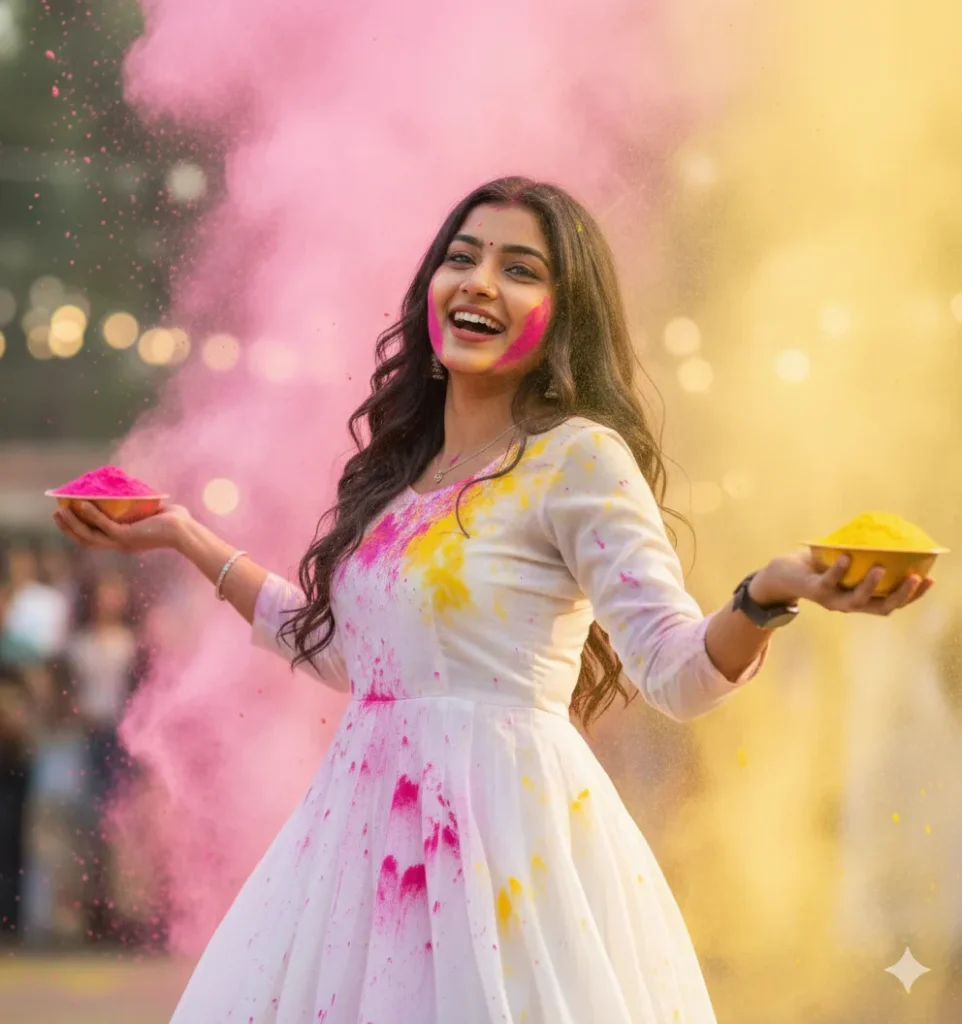
Ultra-realistic cinematic Holi festival photography of stunning young Indian woman (22yo, radiant almond eyes, sharp cheekbones, long wavy black , flawless glowing skin—exact same face), happily defeated pose throwing arms up in ecstatic surrender mid-color explosion, pink/yellow gulal raining down on white anarkali, golden hour sunlight, bokeh festival crowd, 8K sharp details –ar 4:6 –v 6 –style raw –q 2
Tips for Creating Perfect Holi AI Images
When crafting your Holi AI photo editing prompts, focus on specific details that bring your vision to life. Always mention the lighting conditions, as Holi photos look spectacular in golden hour or natural sunlight. Specify the types and colors of powders you want featured—traditional gulal comes in pink, red, orange, yellow, green, and blue. Include details about clothing, preferably white or light-colored traditional Indian attire that shows color stains beautifully. Describe facial expressions clearly, as Holi is about joy and celebration. Mention the background setting, whether it’s an outdoor courtyard, street celebration, or studio setup. For best results, specify the image resolution (8K, 4K) and aspect ratio based on your intended use.
Common Mistakes to Avoid
Many users make the mistake of keeping prompts too vague, which results in generic outputs. Avoid using generic terms like “nice” or “beautiful” without specific descriptors. Don’t forget to specify the cultural context—mentioning “Indian festival” or “traditional Holi” helps AI understand the authentic aesthetic. Overloading prompts with too many conflicting elements can confuse the AI, so maintain focus on a central theme. Not specifying the photography style (realistic, artistic, cinematic) can lead to inconsistent results. Remember to mention important technical aspects like lighting, resolution, and composition style for professional-quality outputs.
FAQ Section
Q: Which AI tool is best for Holi photo editing? A: Google Gemini, Midjourney, DALL-E, and Stable Diffusion all work excellently for Holi images. Choose based on your preferred style and platform availability.
Q: How detailed should my Holi AI prompt be? A: Include at least 40-60 words covering subject details, colors, lighting, clothing, expression, background, and technical specifications for best results.
Q: Can I use these prompts for commercial purposes? A: Check each AI platform’s terms of service regarding commercial use rights, as policies vary between different tools.
Q: How do I make AI-generated Holi photos look more realistic? A: Specify “photorealistic,” “8K resolution,” “natural lighting,” and include authentic cultural details like traditional clothing and genuine Indian features.
Q: What aspect ratio works best for Holi photos? A: Use 4:6 or 9:16 for portraits (social media), 16:9 for landscapes, and 1:1 for Instagram posts. Specify your preference in the prompt.
Q: Can I edit existing photos with these prompts? A: Some AI tools allow image-to-image editing. Upload your photo and use prompts to add Holi elements, but pure generation usually works better.
Q: How many variations should I generate? A: Generate 5-10 variations of each prompt and select the best results, as AI outputs can vary significantly between generations.
Q: What makes a Holi prompt SEO-friendly? A: Include keywords like “Holi AI photo,” “festival colors,” “Indian celebration,” “Holi 2026,” and “AI-generated” naturally within your prompts and descriptions.