Creating high-quality AI-generated boy portraits is trending in 2026, and Gemini AI makes it easier than ever. With the right prompts, you can generate ultra-realistic, cinematic images in perfect 4:5 ratio. This blog provides powerful, deep prompts designed for creators who want professional, aesthetic, and highly detailed AI visuals that stand out on social media platforms.
1. Prompt
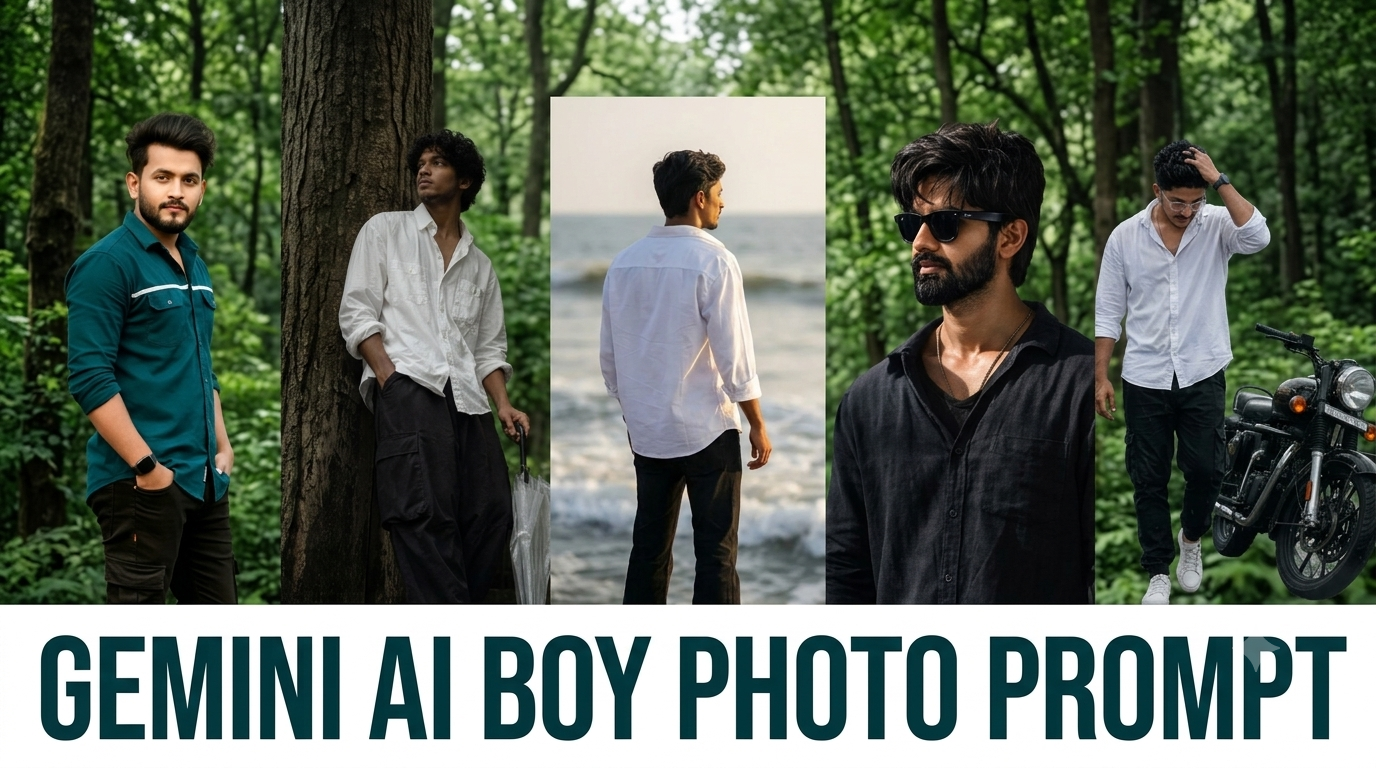
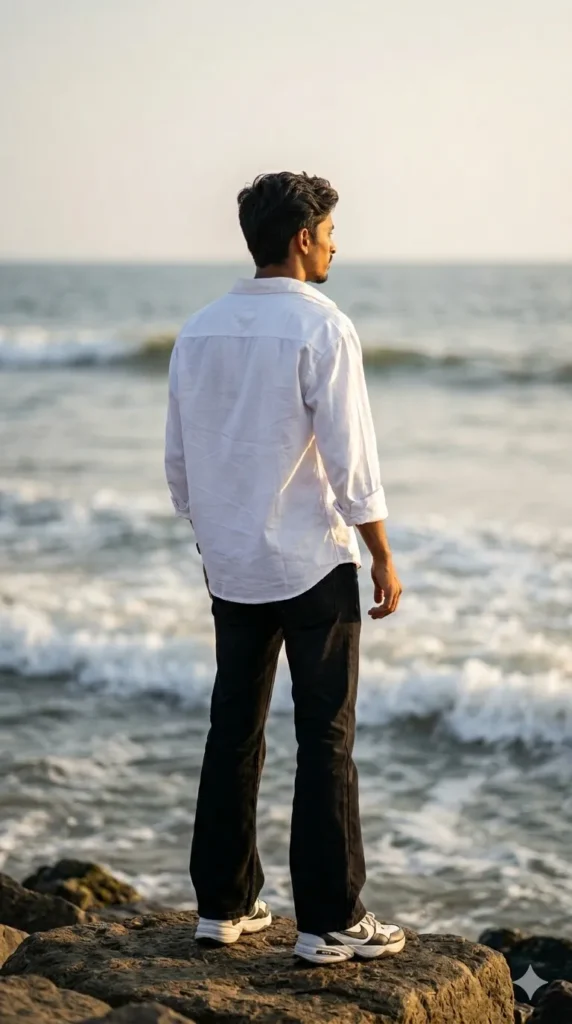
A cinematic 16k hyper-realistic shot of a young man with same hair standing on the coastal rocks at the edge of the sea. He is seen from the back (rear view), looking out towards the horizon. He is wearing a crisp white oversized shirt, black bell-bottom jeans, and chunky Nike sneakers. The lighting is golden hour, creating a warm glow and soft bokeh in the background waves. Shot on an 85mm lens for professional depth of field. Aspect ratio 9:16.
Gemini AI Girl Photo Prompt – Cinematic Ultra Realistic Portraits (4:5)
2. Prompt
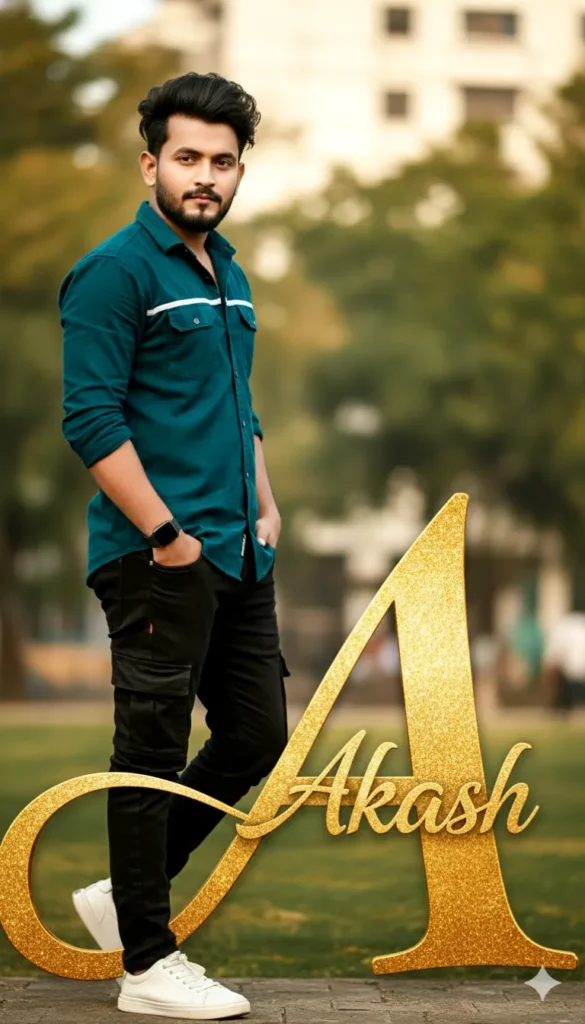
Ultra-realistic 16k cinematic portrait of a stylish boy(keep face exactly 100% as in the reference image). He is interacting with a large stylized letter”A”in a mix of golden cursive font labeled “Akash”Leaning slightly towards it with a confident Style. Wearing midnight teal white shirt , cargo jeans black, white shoes. Smart watch. Background. Straight pose, Three-quarter view with natural, cinematic lighting and full-body proportions.
3. Prompt
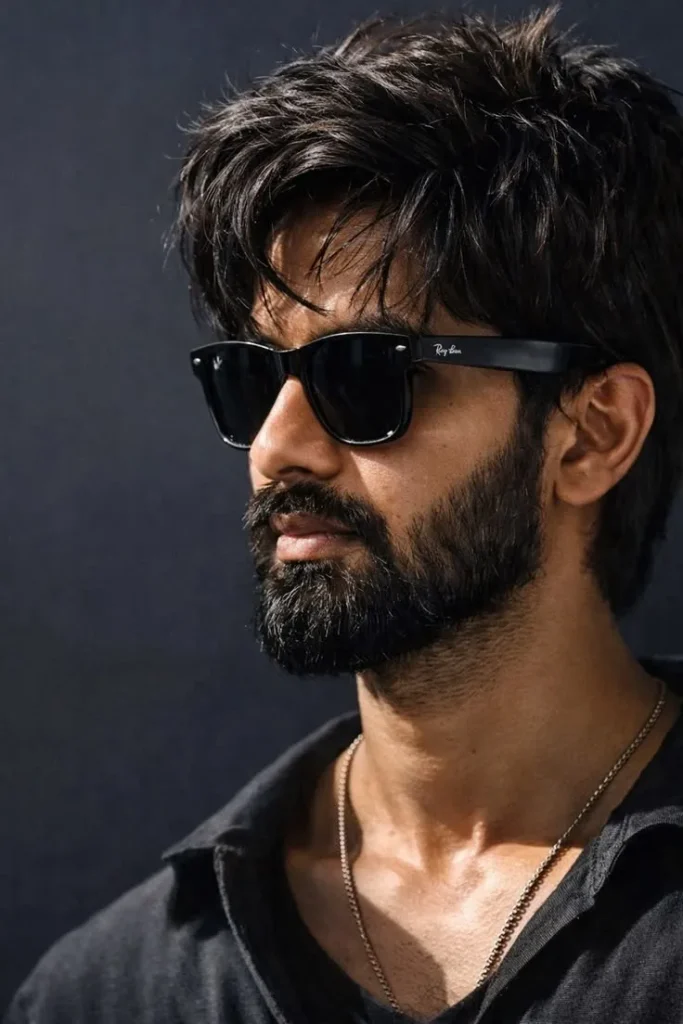
Create an ultra-realistic, luxury editorial portrait using the uploaded image as the exact facial reference. Preserve the subject’s identity perfectly, including the face shape, jawline, hairstyle, beard pattern, mustache, eyebrows, skin tone, natural skin texture, and facial proportions. Do not alter age or identity. The subject is wearing a premium black linen shirt with the top two buttons open and a thin silver chain necklace.
Gemini AI Boy Photo Prompt: Ultra Realistic Portrait Ideas (4:5)
4. Prompt
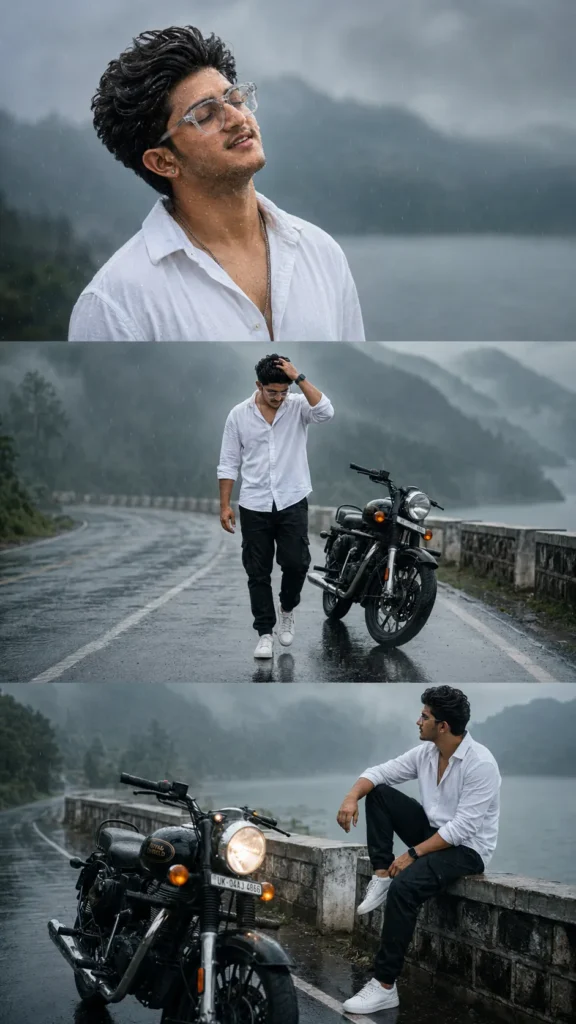
Use the uploaded reference image as the ONLY face reference. Keep the face 100% identical with no beautification or identity changes. Preserve the exact hairstyle, beard, skin tone, facial features, expression, and natural skin texture. Create an ultra-realistic cinematic 9:16 vertical triptych in a rainy mountain lakeside setting with a classic black Royal Enfield Bullet 350. Top: Emotional close-up, eyes closed, face raised toward the sky, raindrops on face.
5. Prompt
A cinematic, low-angle shot of a young man standing in the same outdoor setting. The boy is leaning casually against a tall weathered concrete gate, surrounded by lush green branches and barbed wire above. The ground is wet, reflecting the rainy and misty atmosphere. a boy wearing a white open rolledup sleeve cargo shirt and black baggy cargo pant Keep the misty forest pathway in the background with a dreamy, moody atmosphere, and that boy is hold a transfer umbrella.
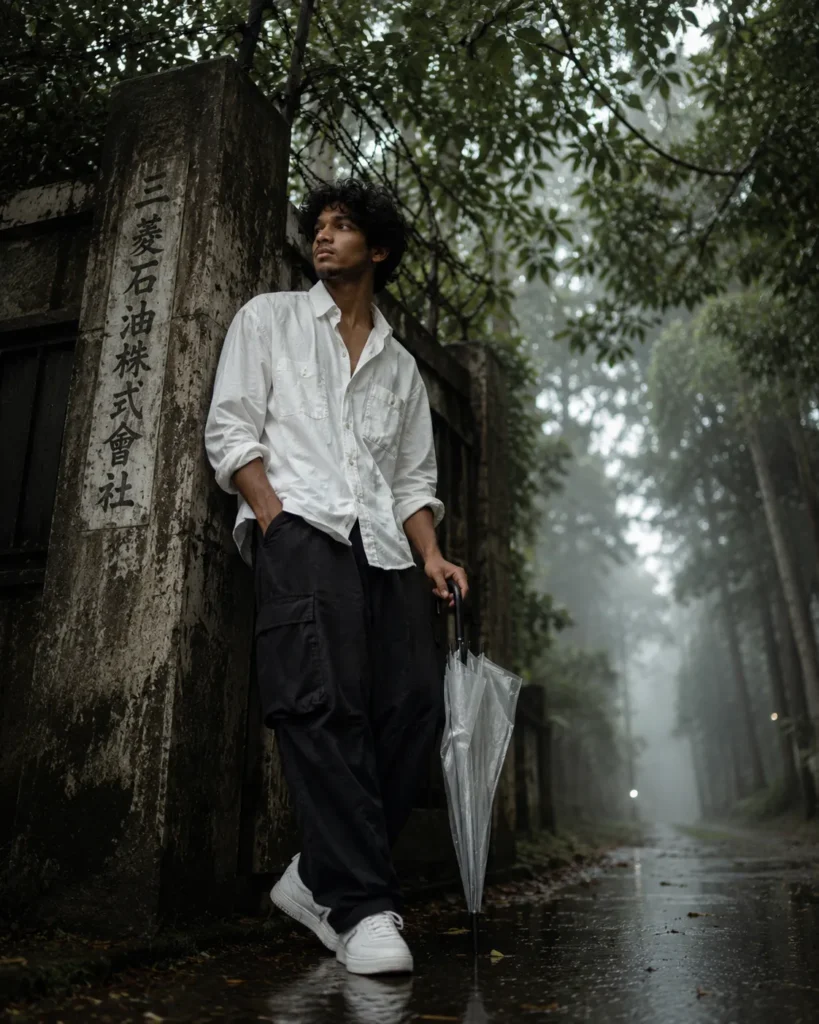
Gemini AI Boy Photo Prompt – Ultra Realistic 4:5 Portrait Ideas
Conclusion
This collection of Gemini AI boy prompts helps you generate visually stunning and realistic portraits for social media, blogs, and creative projects. By using detailed descriptions, lighting effects, and cinematic elements, you can achieve professional-level results effortlessly with Gemini AI tools.
FAQs
1. What is the best aspect ratio for AI boy images?
The 4:5 aspect ratio is ideal for Instagram and social media posts. It provides a balanced portrait frame, ensuring the subject remains the focus while maintaining high visual appeal and engagement.
2. How to make AI images look realistic?
Use detailed prompts including lighting, skin texture, camera type, and environment. Adding terms like ultra-realistic, cinematic lighting, and DSLR quality significantly improves the final output.
3. Which keywords improve Gemini AI results?
Keywords like ultra realistic, 4K, cinematic lighting, detailed face, depth of field, and professional photography help generate better and more realistic images.
4. Can I use these prompts for social media content?
Yes, these prompts are perfect for Instagram, Pinterest, and blogs. They help create engaging visuals that attract more viewers and increase reach.
5. Do I need editing after generating images?
Not always, but slight color correction and sharpening can enhance the final look, making the images even more professional and eye-catching.