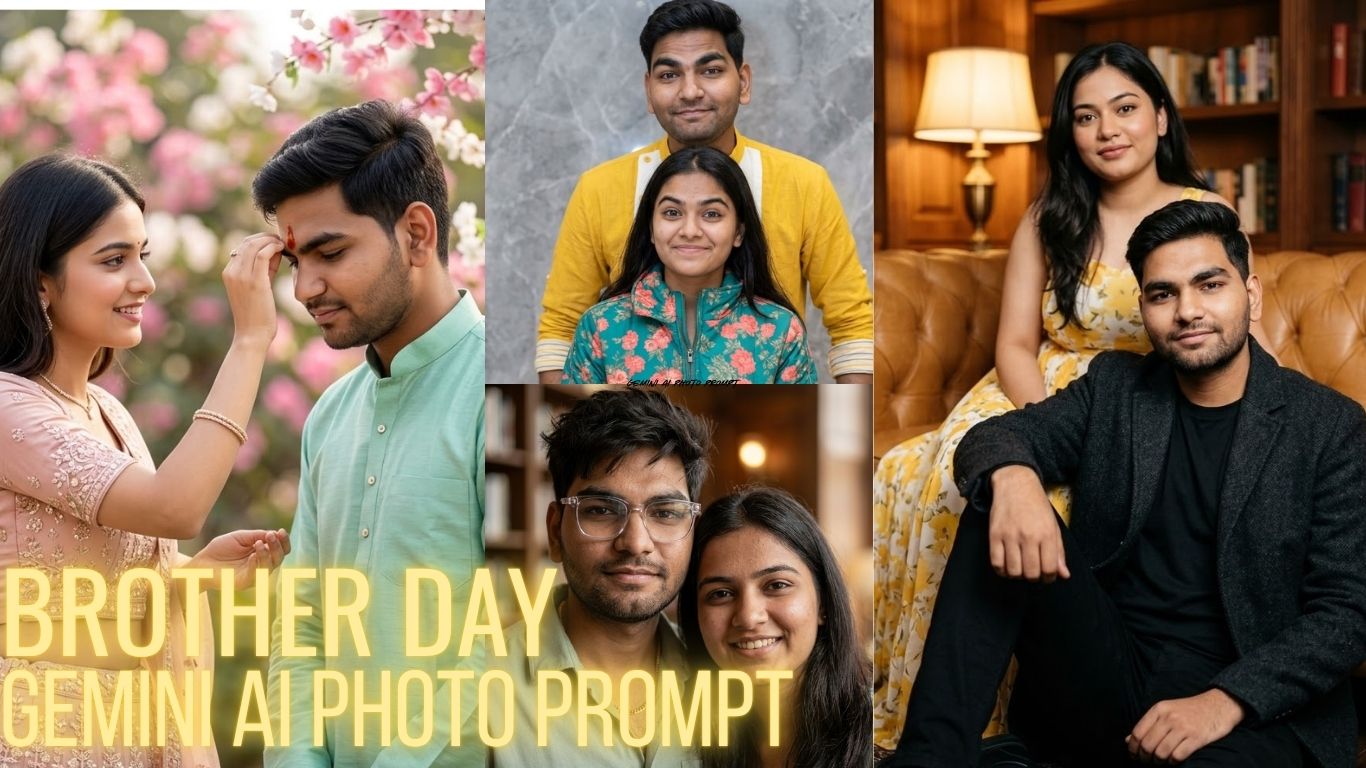
Brother Day is a perfect moment to celebrate the bond of love, protection, and friendship. With Gemini AI, you can create ultra-realistic and emotional images that capture this connection beautifully. In this blog, you’ll find powerful, cinematic, and highly detailed prompts designed for 4:5 ratio images, helping you generate stunning visuals that truly represent the essence of brotherhood.
Prompt 1
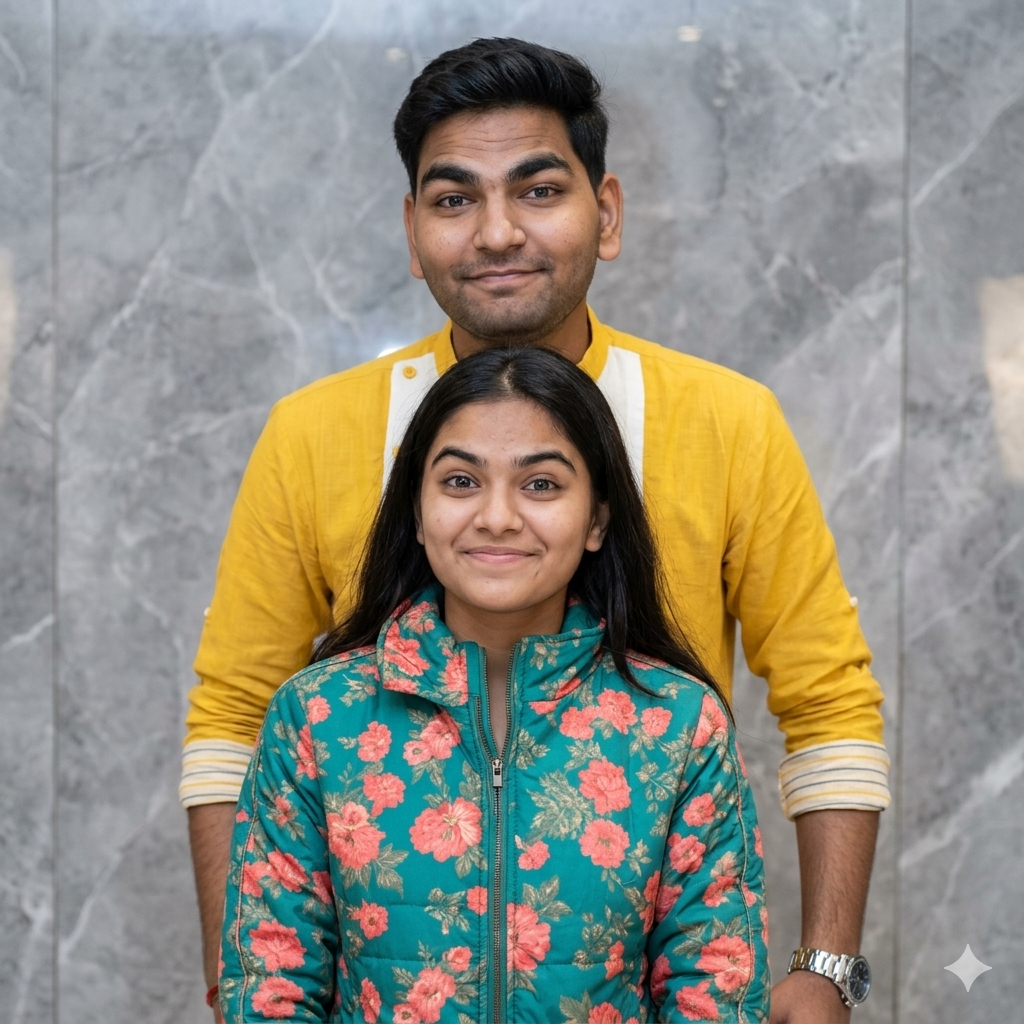
SISTER (KEEP THE FACES IDENTICAL TO THE UPLOADED IMAGE, WITHNO FILTRATION, ALTERATION OR MORPHING) POSING INDOORS AGAINST A MODERN GRAY MARBLE-TEXTURED WALL. MEDIUM SHOT EYE-LEVEL CAMERA ANGLE, SOFTEVEN DIFFUSED LIGHTING. THE BROTHER STANDS SLIGHTLY BEHIND THE SISTER, WEARING A YELLOW KURTA WITH WHITE ACCENTS AND SUBTLE HORIZONTAL STRIPES ON THE LOWER PART SLEEVES ROLLED UP. WEARING A METALLIC WRISTWATCH HEIS SMILING PLAYFULLY WITHRAISED EYEBROWS
Gemini AI Photo Prompt Boy Instagram – Viral Realistic Prompts (2026)
Prompt 2
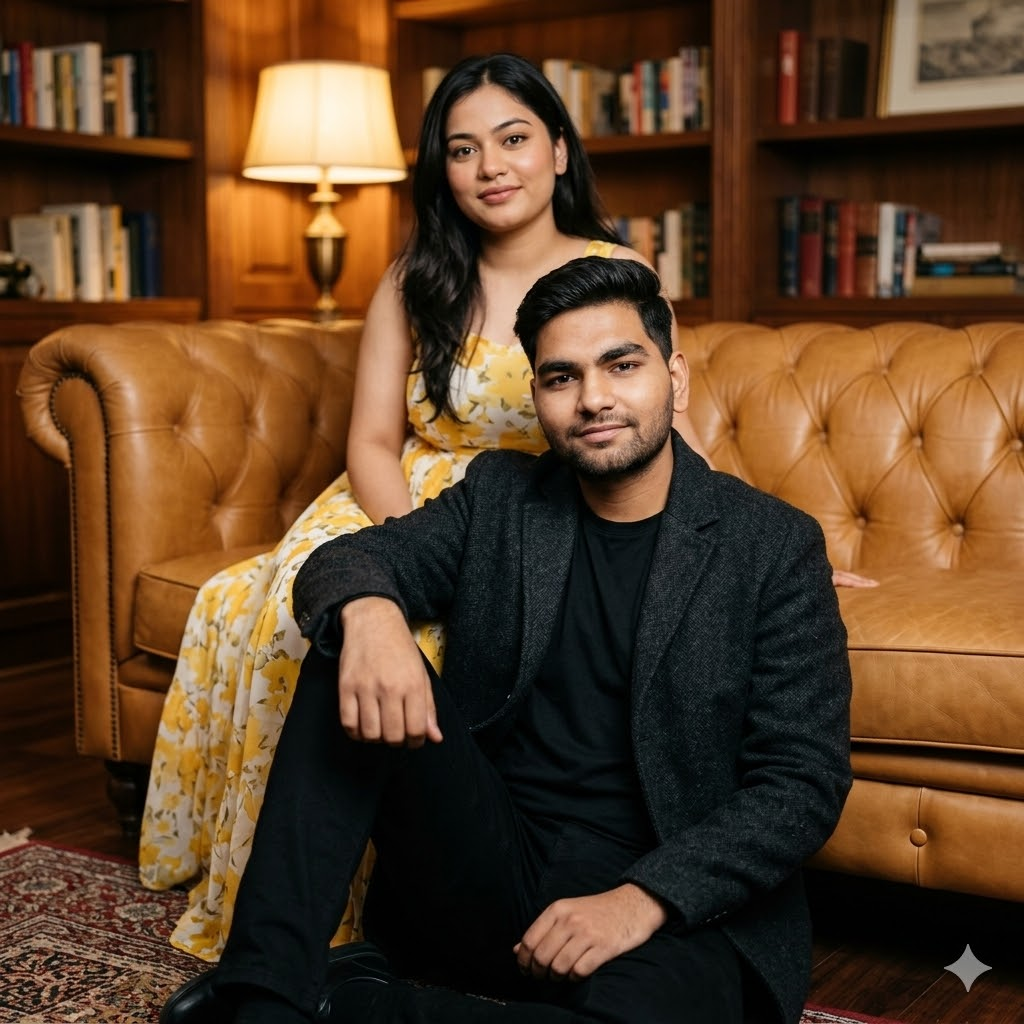
Brother and sister (keep both faces identical to the uploaded image, with no filtration, alteration or morphing) portrait indoors. Brother sits on the floor in front of a tan leather tufted sofa, one knee bent, arm resting casually on it. He wears a black t-shirt, black pants, and a dark charcoal textured jacket, groomed hair and beard, soft relaxed smile looking at the camera. Sister sits on the sofa behind him, wearing a flowing yellow and white dress
Prompt 3
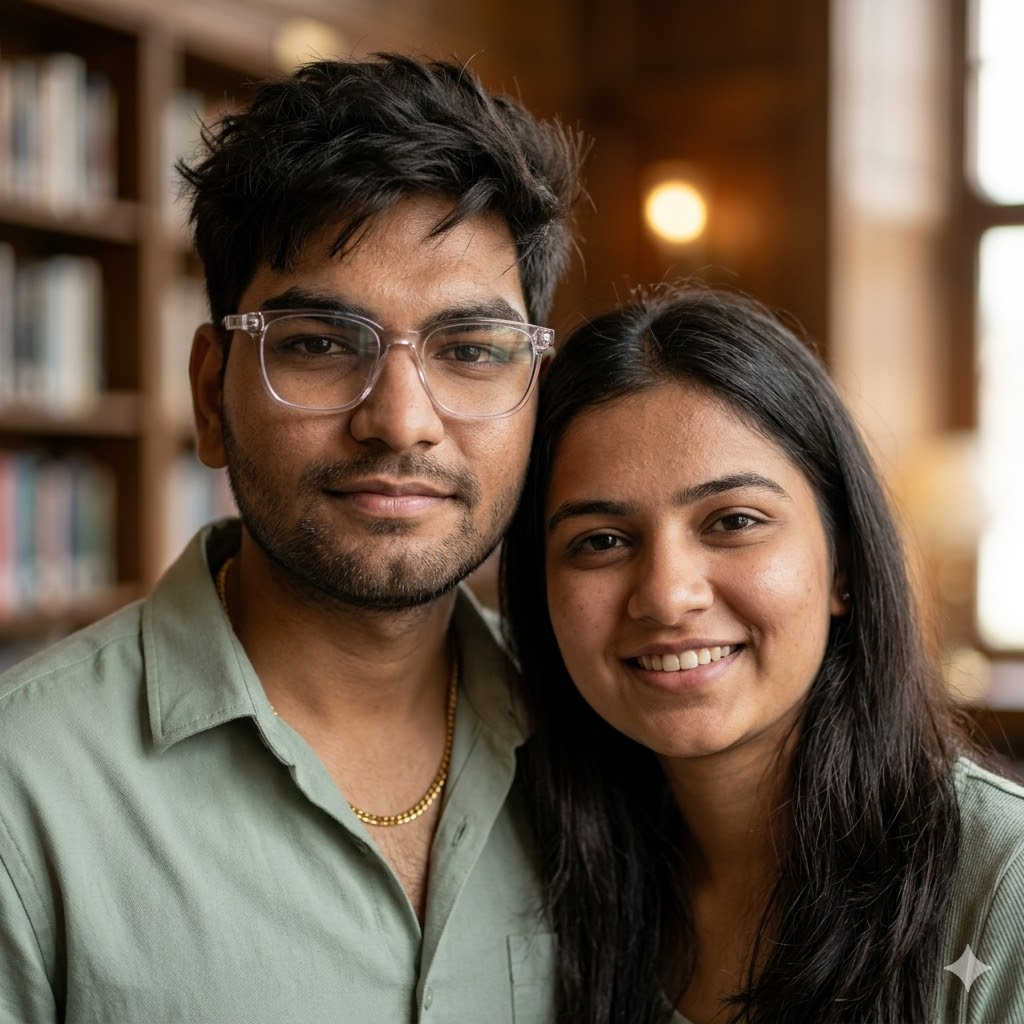
Create an ultra-cinematic realistic portrait of a stylish brother and sister using the uploaded reference photos. Keep both faces completely accurate, natural, and highly detailed with realistic skin texture, authentic facial structure, expressive eyes, and natural hair. The brother should have messy textured hair, transparent luxury glasses, a subtle beard, and a calm protective expression wearing a pastel sage green shirt with a gold chain
Brother’s Day Gemini AI Photo Prompts: Create Emotional & Realistic AI Images (2026 Guide)
Prompt 4
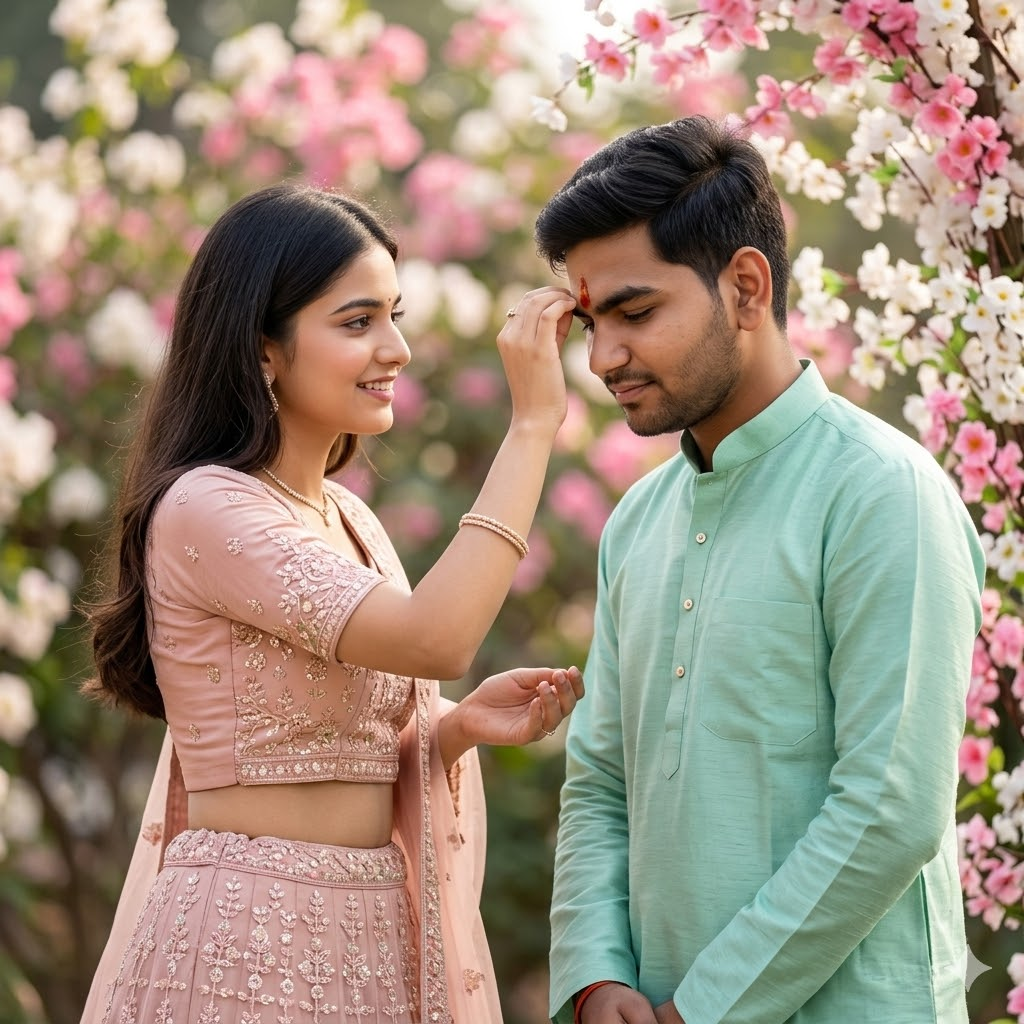
Without changing my facial features, create a soft 4K–16K cinematic portrait of a sister applying tilak on her brother during a serene morning. Both wear pastel-hued contemporary ethnic wear — the brother in a mint-green kurta, the sister in a blush-pink embroidered lehenga. Natural light, bokeh background of blooming flowers, airy composition, gentle smiles, minimal jewelry, high-fashion editorial tone.
Gemini AI Photo Prompt Copy Paste for Girl Instagram (2026 Trending Prompts)
Prompt 5
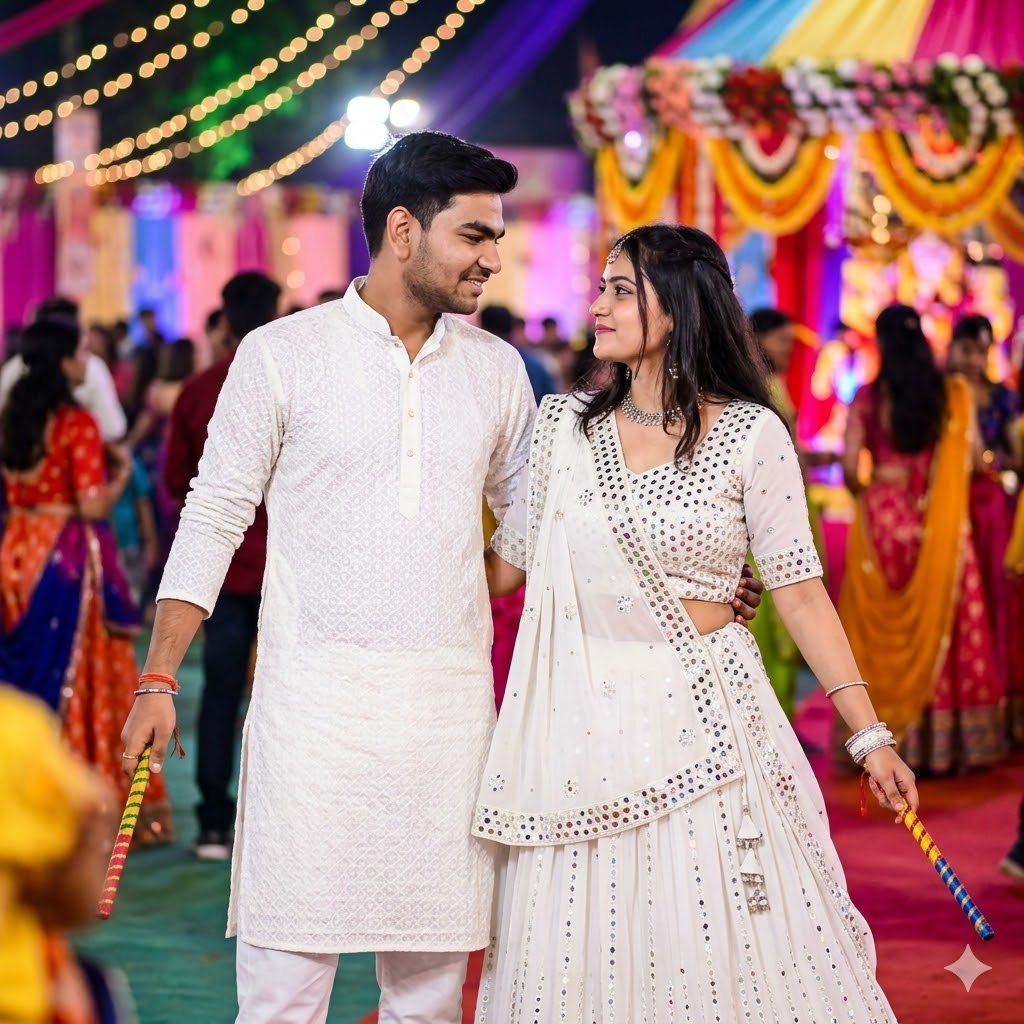
A young man and a woman in a soft, intimate Garba dance moment. The young man should look exactly like the reference image face, hairstyle, and traditional white embroidered Garba outfit, holding dandiya sticks.* same *Beside him stands a young woman in a white traditional Garba dress with mirror work, also holding dandiya sticks in one hand. Background: vibrant Navratri celebration with colorful lights. DSLR camera quality
Conclusion
Gemini AI gives you the power to turn emotions into stunning visuals. With these Brother Day prompts, you can create cinematic, realistic, and meaningful images that truly reflect the bond between brothers. Use these prompts creatively to generate unique content for social media, storytelling, or personal memories.
FAQs
1. What is the best aspect ratio for Brother Day AI images?
The 4:5 ratio is ideal for social media platforms like Instagram as it provides a balanced vertical frame and enhances visual storytelling with better engagement.
2. Which AI tool is best for Brother Day photo generation?
Gemini AI is highly effective due to its advanced realism, emotional detailing, and ability to generate cinematic-quality images with accurate lighting and textures.
3. How to make AI images look realistic?
Use detailed prompts including lighting, emotions, camera type, depth of field, textures, and environment description to achieve ultra-realistic results.
4. Can I use these prompts for Instagram posts?
Yes, these prompts are optimized for 4:5 ratio, making them perfect for Instagram posts, reels thumbnails, and other social media content.
5. Are these prompts beginner-friendly?
Yes, these prompts are ready-to-use. Beginners can simply copy and paste them into Gemini AI to generate high-quality, professional-looking images.