The search for the perfect Republic Day Gemini prompt is increasing rapidly as creators use AI tools to design patriotic images for 26 January celebrations. In 2026, Google Gemini AI has become one of the most powerful platforms for photo editing, allowing users to transform simple photos into stunning Republic Day portraits using only text prompts.
If you are a content creator, influencer, designer, or social media manager, learning how to use the right Republic Day Gemini prompt can help you create viral visuals for Instagram Reels, YouTube Shorts, WhatsApp Status, posters, and banners. In this blog, you will find the best Republic Day AI prompts, tips, benefits, FAQs, and a complete guide to using Google Gemini for patriotic photo editing
With the right Republic Day Gemini prompt, you can create professional-looking patriotic photos without Photoshop skills.
Top 10 Republic Day Gemini Prompts for AI Photo Editing (2026)
1. Patriotic Boy Republic Day Portrait
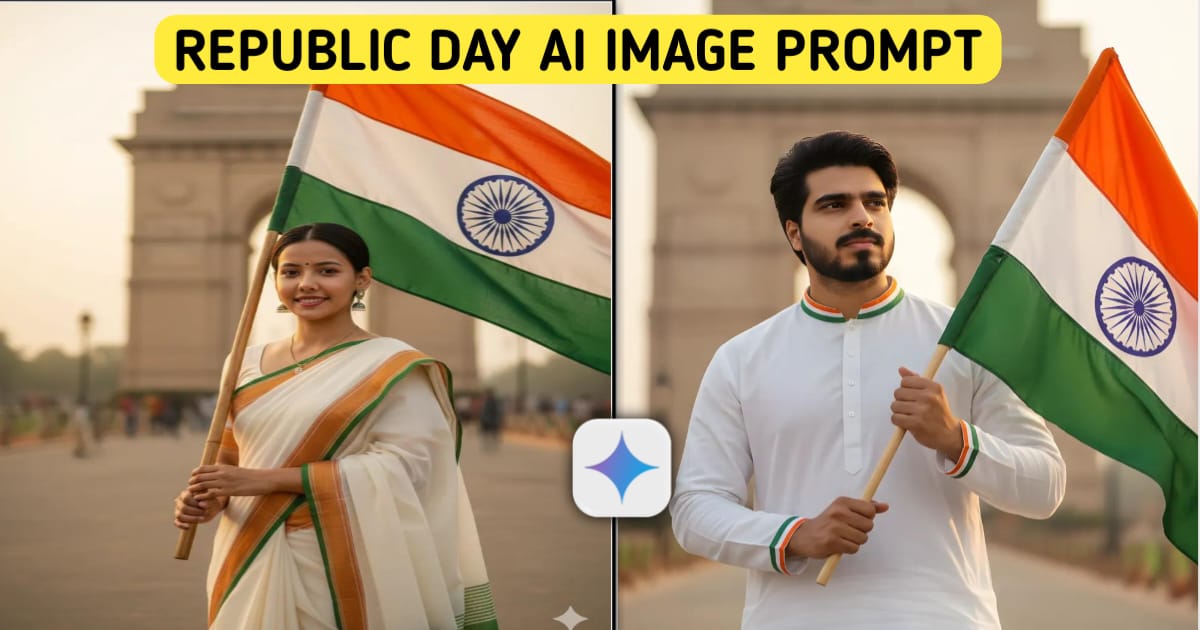
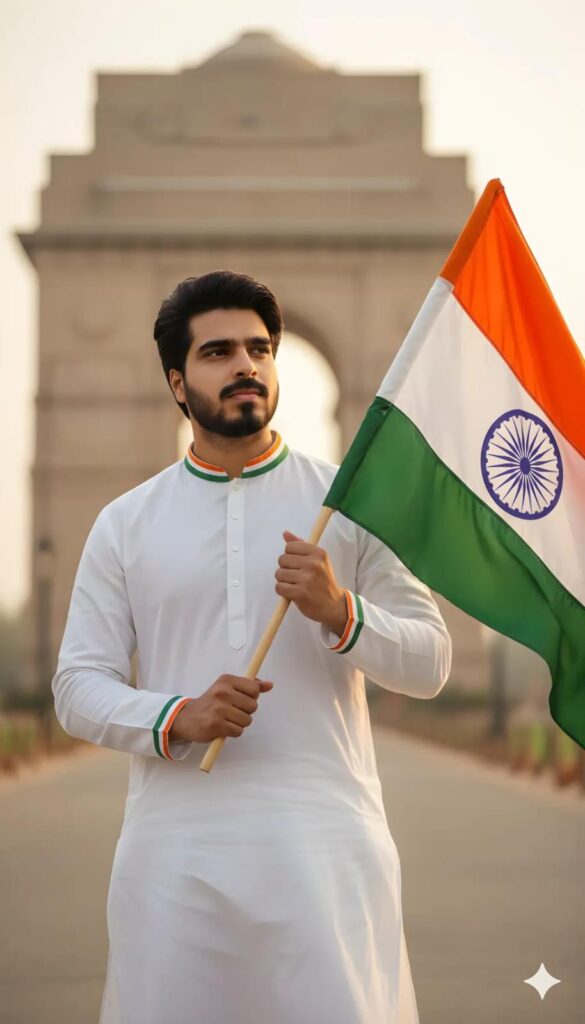
Create a high-resolution, cinematic portrait of a young man standing proudly against a soft-focus backdrop of the India Gate. he is wearing a white cotton kurta pajama with a tricolor border (saffron, white, and green). he is holding the Indian National Flag (Tiranga) firmly, letting it flutter gracefully in the wind. The lighting is warm, golden hour glow, highlighting her expression of pride and grace. 8k resolution, photorealistic, elegant.Use my uploaded image.
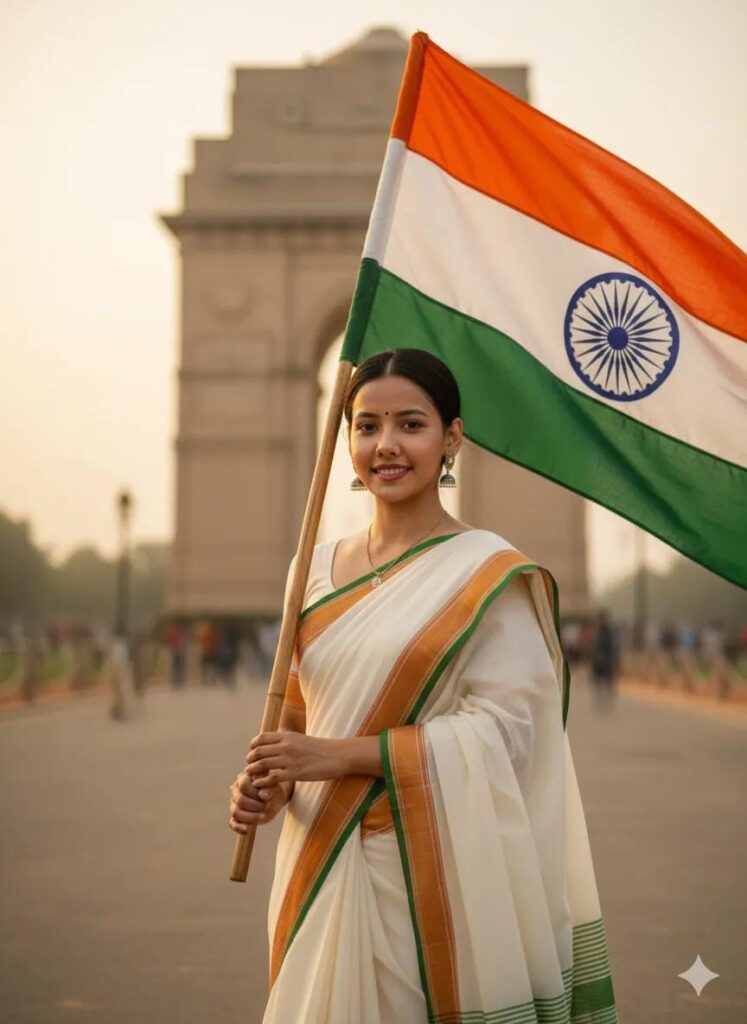
2. Elegant Girl Republic Day Gemini Prompt
Using the uploaded image, generate a realistic portrait of a young Indian girl with the same facial features. She is dressed in a white ethnic outfit with orange and green borders, gently holding the tricolor flag. The background is soft and glowing with patriotic color gradients. Add warm lighting and smooth skin texture for a graceful festive look.
Aspect Ratio: 9:16
3. Cinematic Boy With Tricolor Smoke
Create a cinematic Republic Day image using the uploaded boy photo. Maintain original facial identity. Add dramatic tricolor smoke effects in the background, modern casual clothing, and subtle wind motion on the flag. Apply film-style lighting and contrast for a heroic appearance.
Aspect Ratio: 9:16
4. Traditional Girl With Festive Glow
Transform the uploaded girl image into a Republic Day themed portrait. Keep facial details intact. Dress her in a traditional white Anarkali with tricolor embroidery. Add golden festive glow, soft shadows, and floating light particles for an elegant cultural look.
Aspect Ratio: 9:16
5. Heroic Boy Holding Indian Flag
Generate a bold Republic Day AI portrait using the uploaded boy image. Preserve facial features clearly. He is standing proudly with the Indian flag flying behind him, wearing a white shirt with orange highlights. Add sunlight rays, realistic textures, and patriotic mood lighting.
Aspect Ratio: 9:16
6. Girl With Artistic Tricolor Face Paint
Create a high-resolution, cinematic portrait of a young man standing proudly against a soft-focus backdrop of the India Gate. he is wearing a white cotton kurta pajama with a tricolor border (saffron, white, and green). he is holding the Indian National Flag (Tiranga) firmly, letting it flutter gracefully in the wind. The lighting is warm, golden hour glow, highlighting her expression of pride and grace. 8k resolution, photorealistic, elegant.Use my uploaded image.
7. Modern Republic Day Poster Style Boyhttps://gemini.google.com/app
Design a poster-style Republic Day image using the uploaded boy photo. Keep identity unchanged. Add graphic text like “26 January 2026”, Indian flag icons, and tricolor shapes. The style should look modern, clean, and social-media ready.
Aspect Ratio: 9:16
8. Girl in Republic Day Parade Scene
Place the uploaded girl image into a realistic Republic Day parade environment. Preserve face and posture. She is holding a small flag, wearing white attire, with blurred crowds and flags in the background for natural depth and realism.
Aspect Ratio: 9:16
9. Confident Boy With Artistic Flag Background
Create an AI portrait using the uploaded boy photo. Maintain facial accuracy. Add flowing Indian flag textures in the background with soft lighting and balanced color tones for a premium patriotic look.
Aspect Ratio: 9:16
10. Dreamy Girl Republic Day Portrait
Transform the uploaded girl photo into a soft and dreamy Republic Day portrait. Keep face natural. She is wearing a white dress with green accessories, surrounded by pastel tricolor lighting and gentle sparkles for an emotional patriotic feel.
Aspect Ratio: 9:16
26 January AI Photo Editing Prompts 2026 – Google Gemini Boy & Girl Photo Editing Guide
Benefits of Using Republic Day Gemini Prompts
Using a proper Republic Day Gemini prompt offers many advantages:
- Creates professional patriotic images in minutes
- No Photoshop or design skills required
- Perfect for Instagram, Reels, Shorts, Posters, and Banners
- Preserves original face and identity
- Increases engagement and shareability
How to Use Republic Day Gemini Prompt in Google Gemini
- Open Google Gemini AI
- Upload your photo
- Copy any Republic Day Gemini prompt from this blog
- Paste it in the prompt box
- Generate and download your edited image
Conclusion
The right Republic Day Gemini prompt can completely transform your photos into powerful patriotic visuals for 26 January 2026. With Google Gemini AI, anyone can create stunning Republic Day portraits using simple text instructions. These prompts are perfect for content creators, brands, students, and influencers who want eye-catching Republic Day posts without professional editing skills.
Start using these Republic Day Gemini prompts today and make your Republic Day content truly special.
FAQs – Republic Day Gemini Prompt
1. What is a Republic Day Gemini prompt?
It is a text instruction used in Google Gemini AI to create Republic Day themed photo edits.
2. Which aspect ratio is best for Republic Day AI images?
The 9:16 aspect ratio is best for Instagram Reels, YouTube Shorts, and WhatsApp Status.
3. Can Gemini keep my original face in AI edits?
Yes, when clearly mentioned in the prompt, Gemini preserves original facial features.
4. Is Google Gemini free for Republic Day photo editing?
Basic features are free, but advanced editing may require a subscription.
5. Can I use these Republic Day Gemini prompts for commercial use?
Yes, but always check Google Gemini’s latest usage and copyright policy.
If you want:
✅ Meta Title & Meta Description
✅ Hindi version
✅ More viral prompts (30–100)
✅ Instagram captions + hashtags
Just tell me — I’ll prepare it for your website 🚀