The demand for 26 January AI photo editing prompts is growing rapidly as creators, influencers, and brands use AI tools like Google Gemini to design patriotic visuals for Republic Day. In 2026, AI photo editing has become smarter, faster, and more realistic—allowing users to transform ordinary photos into professional Republic Day portraits with just a text prompt.
This blog shares 10 powerful 26 January AI photo editing prompts for boys and girls using Google Gemini. Each prompt is carefully written to maintain original facial features, create a patriotic Indian theme, and work perfectly in 9:16 aspect ratio, ideal for Instagram Reels, YouTube Shorts, and WhatsApp Status.
Top 10 – 26 January AI Photo Editing Prompts (Google Gemini 2026)
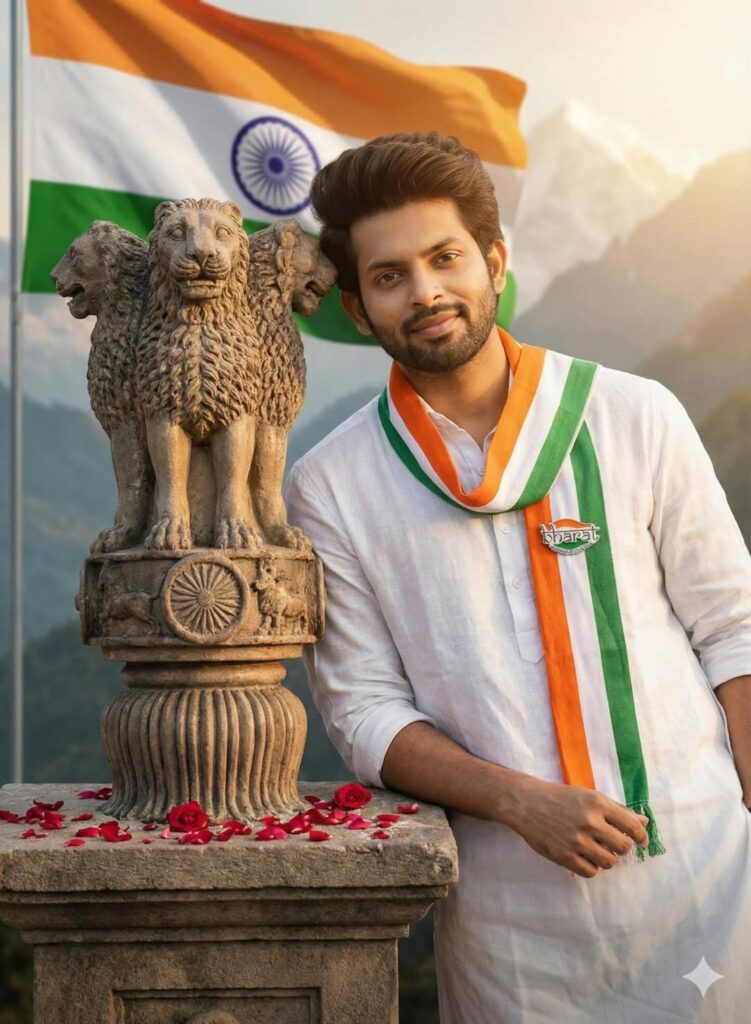
1. Patriotic Boy Portrait – Republic Day Theme
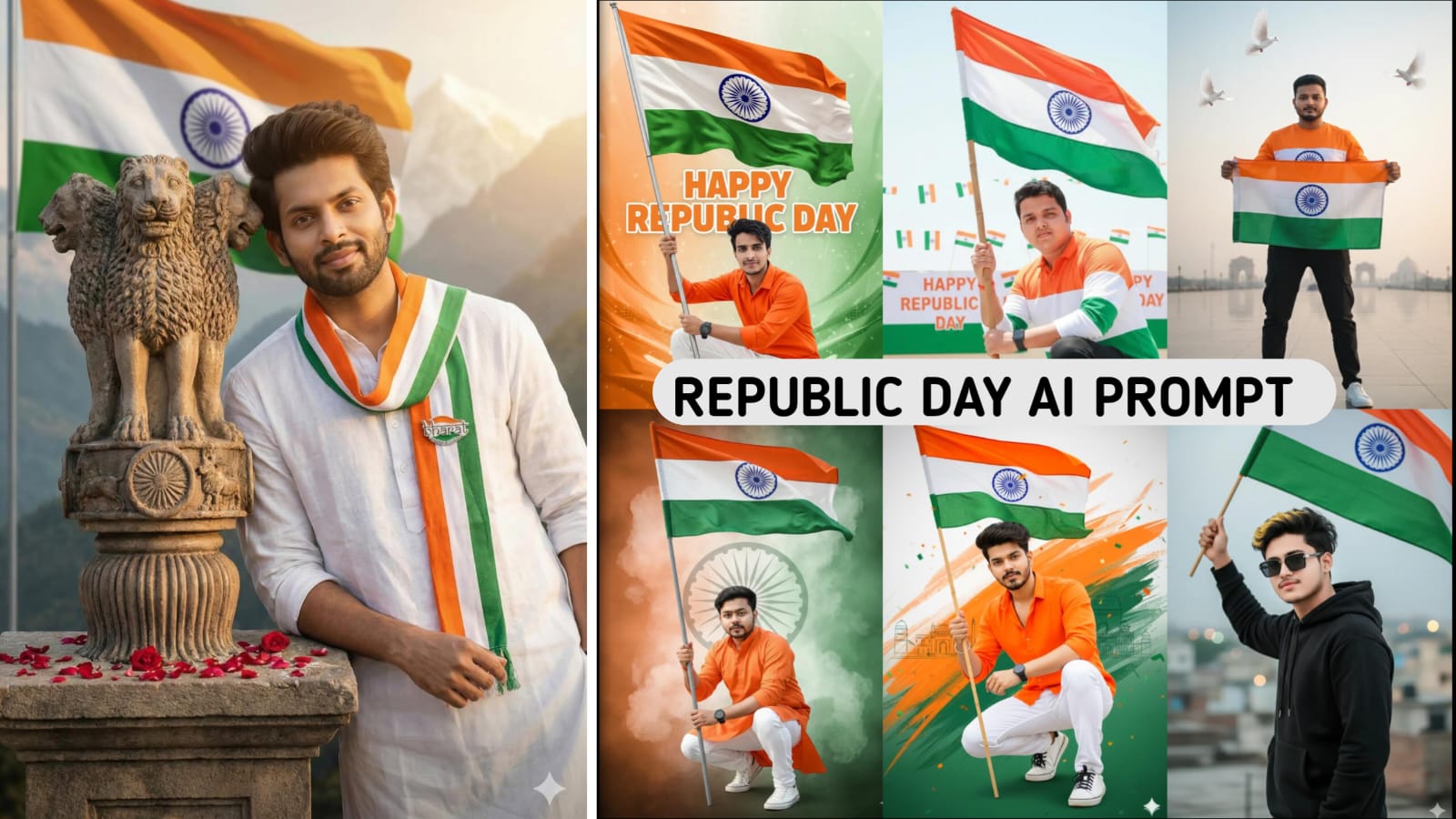
A young Indian man wearing a white kurta and tricolor (saffron-white-green) stole, standing proudly beside the Ashoka Lion Capital statue, with the Indian national flag waving in the background. Soft golden-hour lighting, patriotic mood, realistic cinematic photography, shallow depth of field, high detail, mountains in the distance.
2. Elegant Girl Republic Day AI Portrait
Using the uploaded image, generate a realistic AI portrait of a young Indian girl while keeping her original face and features intact. She is wearing a white ethnic dress with orange and green accents, gently holding the Indian flag. The background features a soft tri-color gradient with floating sparkles and warm lighting. The image should feel graceful, festive, and emotionally patriotic. Enhance clarity, skin texture, and natural lighting for a professional finish.
Aspect Ratio: 9:16
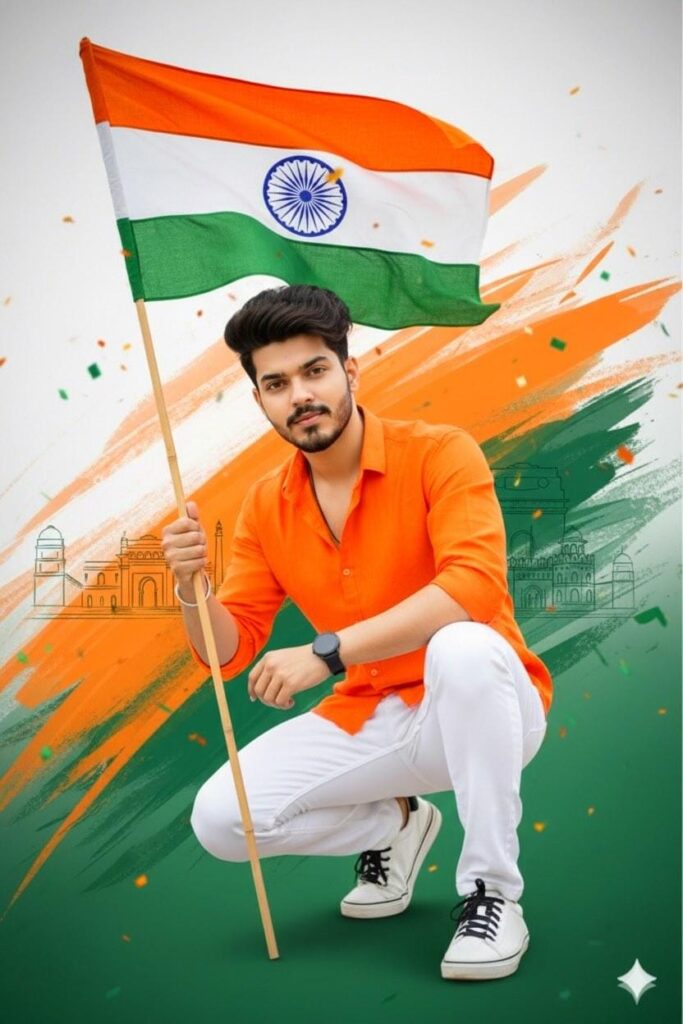
3. Cinematic Boy With Tricolor Smoke Effect
A high-quality same as uploaded face and features uploaded image, vibrant Indian Republic Day portrait. A young man with light, He is wearing a crisp orange long-sleeved shirt, white pants, and whiye sneakers with black sole and laces. Black Wrist watch on hand, He is in a confident crouching pose, holding a pole with the Indian national flag. . The background is a creative fusion of saffron,
Aspect ratio: 9:16. @onlinesapne
4. Traditional Girl Portrait With Festive Glow
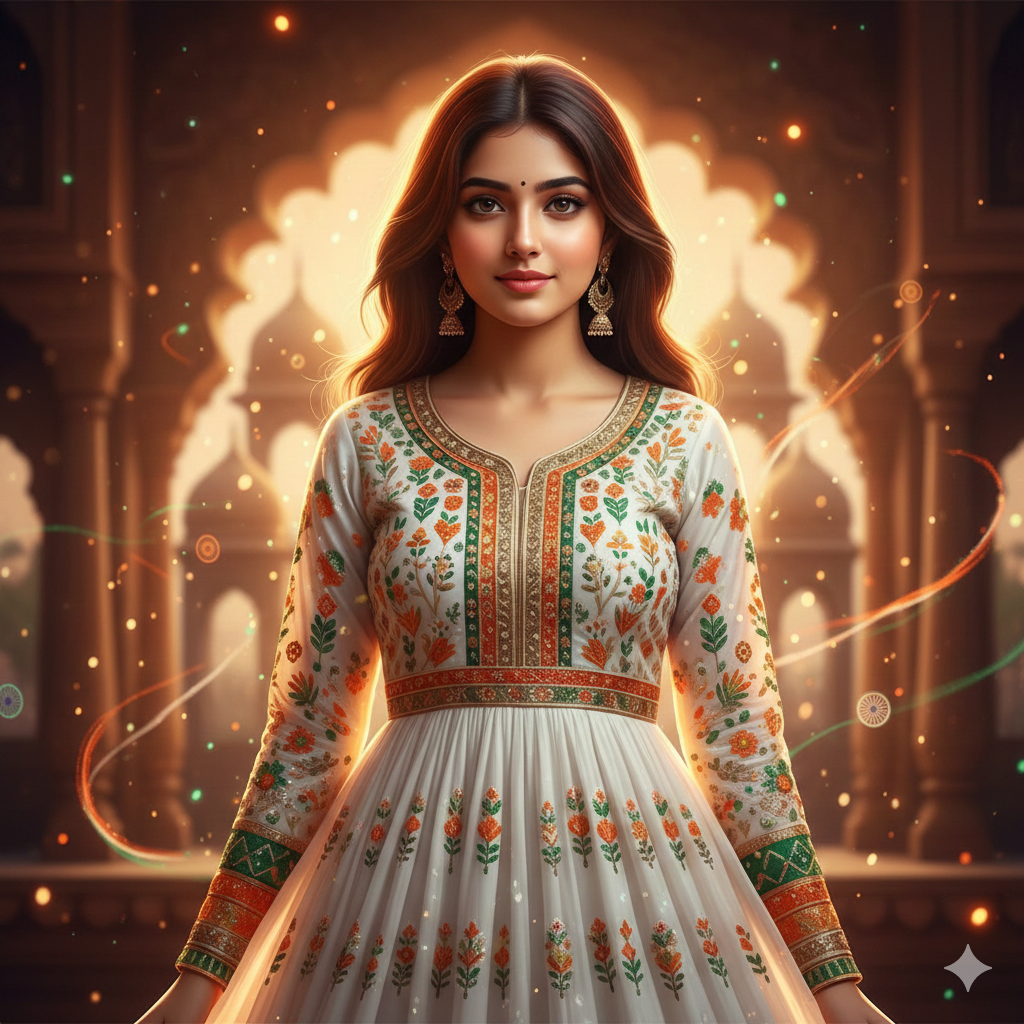
Transform the uploaded girl’s image into a Republic Day-themed AI portrait. Maintain original face details. She is wearing a traditional white outfit with tricolor embroidery. Add a warm festive glow around her face with soft shadows and light particles in the background. The mood should feel peaceful, proud, and culturally rich.
Aspect Ratio: 9:16
5. Heroic Boy Holding Indian Flag
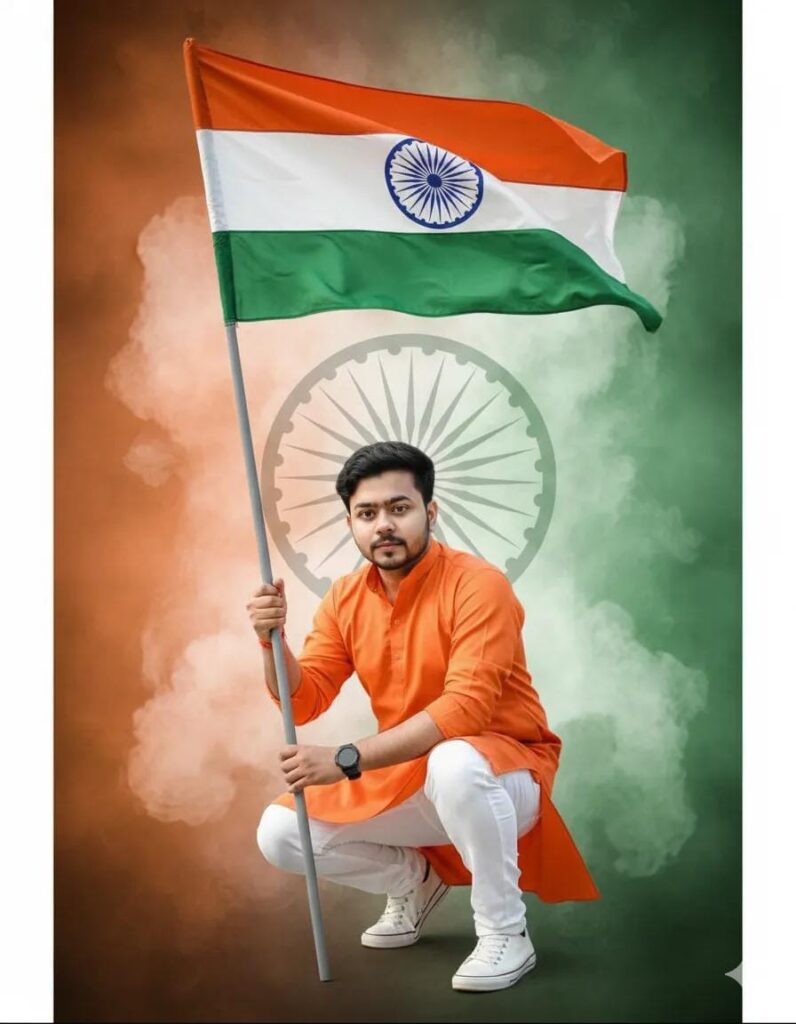
A high-quality same as uploaded face and features uploaded image, vibrant Indian Republic Day portrait. A young man with light, He is wearing a crisp orange long-sleeved shirt, white pants, and whiye sneakers with black sole and laces. Black Wrist watch on hand, He is in a confident crouching pose, holding a pole with the Indian national flag. . The background is a creative fusion of saffron
Aspect ratio: 9:16.
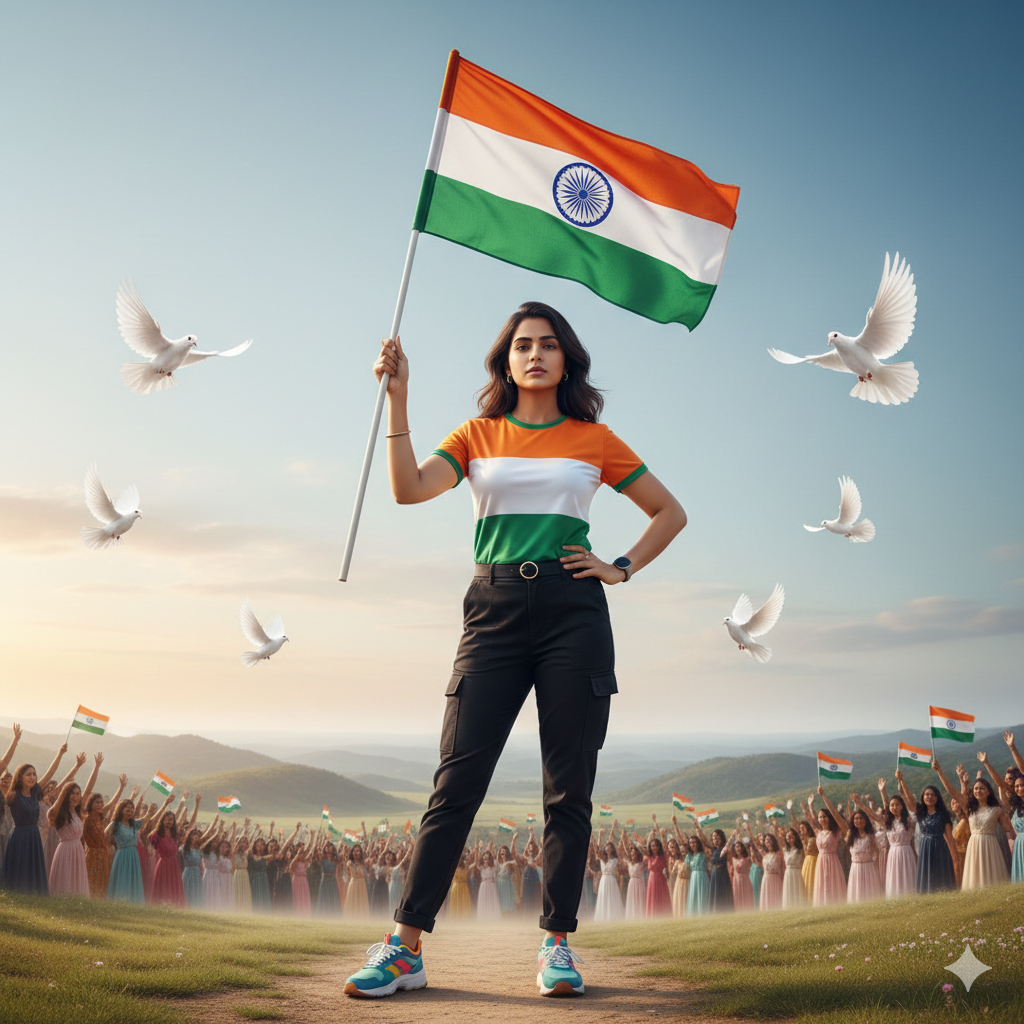
6. Girl With Artistic Tricolor Face Paint
Use the uploaded selfie as an accurate facial reference. Create a highly realistic and patriotic Republic Day image. The person is standing in a stylish pose, holding the Indian national flag, and proudly looking directly at the camera. The person is wearing a stylish tricolor t-shirt (saffron, white with the Ashoka Chakra, and green) with casual black pants and bright sneakers. The background features a cinematic open landscape with a subtle gradient in the sky, white doves flying, and girl Indian
7. Modern Boy Republic Day Poster Style
Create a modern AI poster-style image using the uploaded boy’s photo. Keep facial identity unchanged. Add graphic elements like “26 January 2026”, tricolor shapes, and patriotic symbols. The style should look clean, trendy, and social-media-ready.
Aspect Ratio: 9:16
8. Girl in Republic Day Parade Scene
Using the uploaded image, place the girl into a Republic Day parade environment. Maintain her real face and expression. She is holding a small Indian flag while wearing a white outfit. The background includes blurred parade elements, flags, and soft sunlight for realism.
Aspect Ratio: 9:16
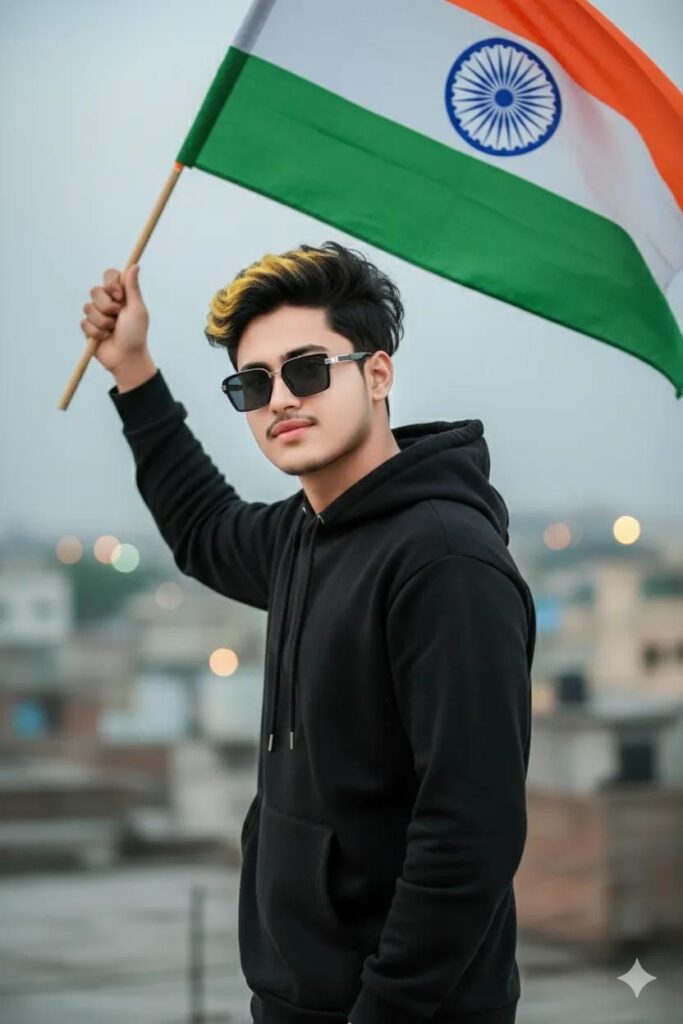
9. Confident Boy With Artistic Flag Background
Ultra-realistic UHD / DSLR-quality cinematic image of a 19-year-old boy (use my uploaded photo for 100% exact face, skin tone & Shot Type: half-body cinematic shot
Pose: standing in a stylish hero pose, Indian flag flying high in hand, confident soft smile look, eyes looking forward Outfit: stylish black hoodie, modern street-hero vibe Accessories: box-style stylish sunglasses
10. Soft & Dreamy Girl Republic Day Portrait
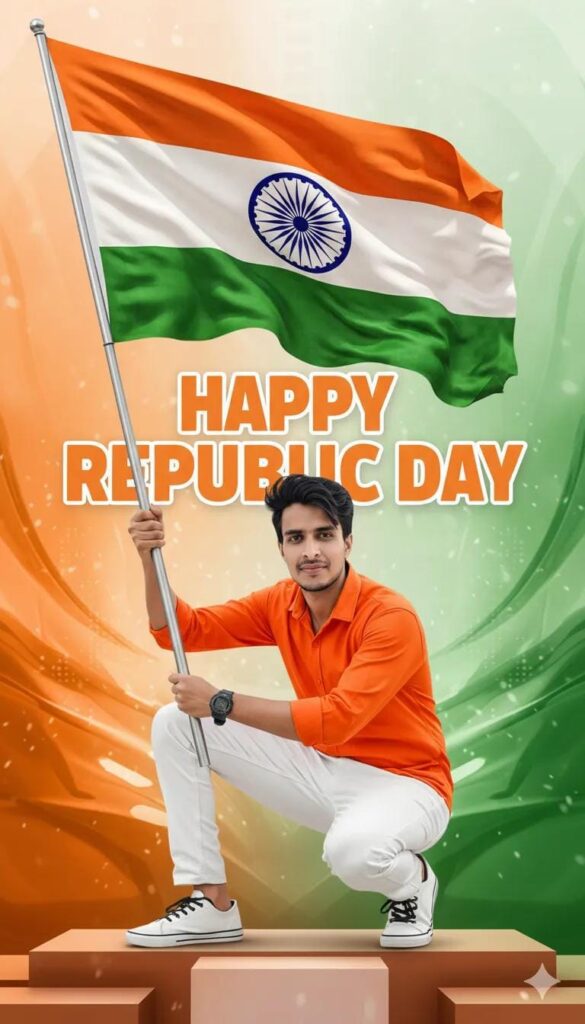
“A high-quality same as uploaded face and features uploaded image, vibrant Indian Republic Day portrait. A young man with light, He is wearing a crisp orange long-sleeved shirt, white pants, and whiye sneakers with black sole and laces. Black Wrist watch on hand, He is in a confident crouching pose, holding a pole with the Indian national flag.. The background is a creative fusion of saffron,
Write Poster bold letter “HAPPY REPUBLIC DAY”
Aspect ratio: 9:16.
Why Use 26 January AI Photo Editing Prompts?
- Creates professional Republic Day images without Photoshop
- Perfect for Instagram, Reels, Shorts, and WhatsApp Status
- Saves time and cost
- Maintains original facial identity
- Boosts engagement and shares on social media
Google Gemini Happy Makar Sankranti Girl AI Photo Editing Prompts 2026
Conclusion
Using the right 26 January AI photo editing prompts, you can easily create stunning Republic Day visuals with Google Gemini in 2026. These prompts are designed for both boys and girls, ensuring realistic results, patriotic emotions, and social-media-ready formats. Whether you are a content creator, influencer, or brand, these AI prompts help you stand out with minimal effort and maximum impact.
FAQs – 26 January AI Photo Editing Prompts
1. What are 26 January AI photo editing prompts?
They are text instructions used in AI tools like Google Gemini to create Republic Day-themed photo edits using uploaded images.
2. Which AI tool is best for 26 January photo editing?
Google Gemini is one of the best AI tools in 2026 for realistic and high-quality Republic Day photo editing.
3. Can AI keep my original face in edited photos?
Yes, when the prompt clearly mentions preserving original face and features, AI maintains identity accurately.
4. What aspect ratio is best for Republic Day AI photos?
The 9:16 aspect ratio is best for Instagram Reels, YouTube Shorts, and WhatsApp Status.
5. Are these 26 January AI photo editing prompts reusable?
Yes, you can reuse and customize these prompts for multiple photos and platforms.